Assets Library
Illustrations
Illustrations are a key part of the Presonate visual language. The illustration system is designed to be clear, friendly, and instantly recognizable. Consistent use of style, color, and composition helps maintain visual coherence, support storytelling, and reinforce the brand’s character across all touchpoints.
Checklist
Scenes rely on layered depth. The environment supports the characters and never steals focus. Foreground elements are more defined, background elements are soft and muted. Lighting defaults to a single soft ambient source from above, and any secondary light must affect nearby elements consistently. Shapes are rounded, beveled, and aligned with the camera's perspective. Only use the brand colors when illustrating. Use trees and bushes to frame the action. Avoid tangents and awkward alignments by either separating edges clearly or overlapping them decisively. Keep scale and perspective simple and coherent.
Do you know what to look at in 1 second?
Is anything important touching the frame edge?
Any tangents or “kissing edges”?
Are characters readable at thumbnail size?
Clear foreground, midground, and background depth?
Does Hero stand out from the background?
Characters Lineup
These characters are an adult, highly capable team at a design agency: reliable, practical, and always on time. They should feel purposeful and engaged. As if they’re on a quest every time.
Presonate Hero

Guidelines of the character
Do not put important elements on the edges.
Avoid faces, eyes, or key props touching the frame edge. Don’t crop at joints, crop at larger masses.
Do not put important elements on the edges.
Avoid faces, eyes, or key props touching the frame edge. Don’t crop at joints, crop at larger masses.
Do not put important elements on the edges.
Avoid faces, eyes, or key props touching the frame edge. Don’t crop at joints, crop at larger masses.
Do not put important elements on the edges.
Avoid faces, eyes, or key props touching the frame edge. Don’t crop at joints, crop at larger masses.
Environment
The environment is a stage that supports the characters and the story. Its job is to create mood, depth, and a sense of “outdoors / anywhere-work,” while staying visually secondary.

Depth and layering
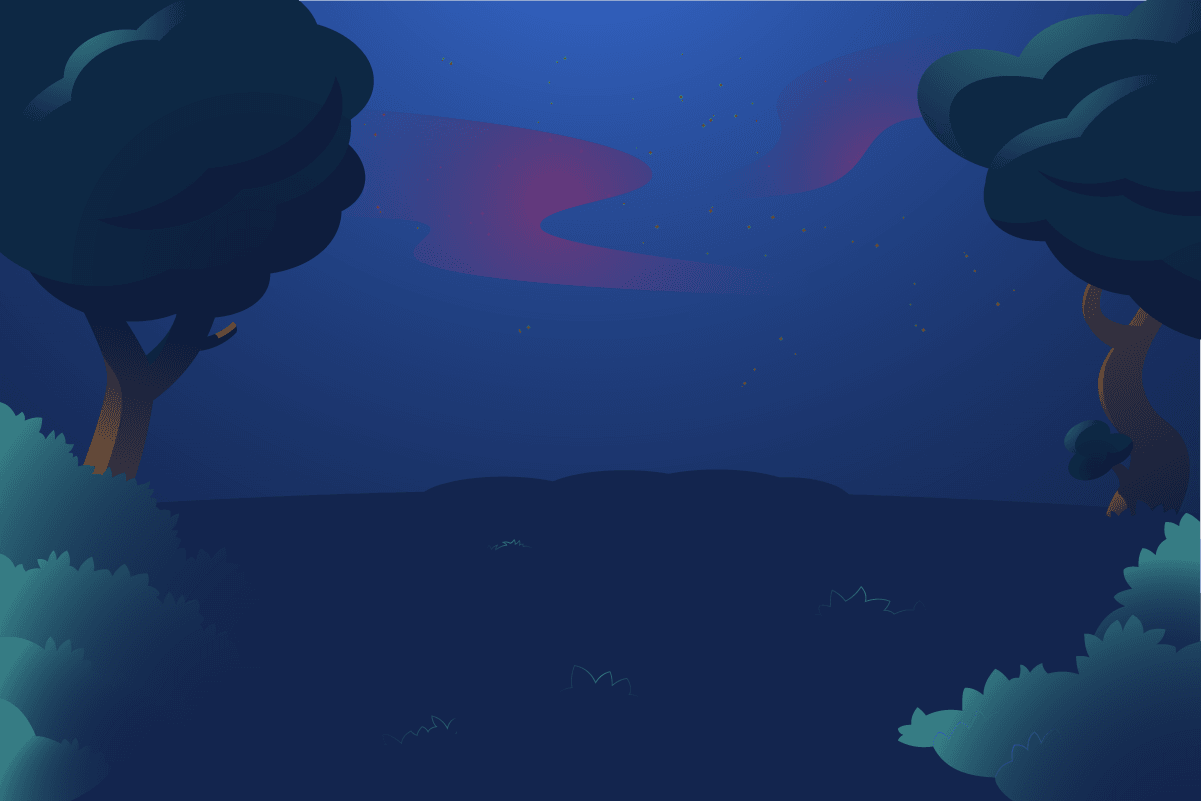
Build scenes with clear depth using foreground, midground, and background. As elements move farther back, they become simpler, and lower contrast.
Color and contrast
The environment lives mainly in cool blues and greens. It feels quieter compared to the characters. Use warm accents only when the story demands it.

Composition
Use trees and bushes to frame the action and create a clean stage area. Keep negative space intentional so the scene breathes.

Scale and perspective
Keep scale relationships consistent. Trees, bushes, and ground shapes should feel coherent within the scene’s chosen perspective.
Supporting Elements
Supporting elements should have soft, rounded forms and a friendly, slightly beveled feel, built from simple primitives with detail added only when necessary. Perspective must be believable, with correct edges, foreshortening, and thickness so objects feel three-dimensional. When clustered, elements should interact through soft contact shadows, light blocking, and subtle color bounce. Maintain consistent scale, stroke, and bevels across scenes, and follow color discipline, default to primary blues and greens, using other colors only for emphasis or storytelling.

Form language
Objects have rounded corners and beveled edges.

Simplicity
Build from simple primitives first. Never add detail just because you can.

Perspective
Objects must exist in space. Edges, foreshortening, and thickness must agree with the camera angle.

Lighting
When clustered, objects cast soft contact shadows and block light from each other.

Harmonization
Assets are reusable, but never drag-and-drop mindlessly. Stroke weight, bevels and overall scale relationship should be consistent.

Color discipline
Default to the brand’s primary blues and greens. Use other brand colors only when the story needs it. Color accents are intentional, not decorative noise.
Illustration Guidelines
Illustration misuse happens when illustrations are applied in ways that create confusion, break visual balance, or stray from the established style. The examples below show common errors to avoid so the Presonate illustration system remains cohesive, clear and visually consistent.

Don’t put important elements on the edges
Avoid characters, faces, eyes, and key props touching the frame edge. Don't cut at joints, crop at larger masses.
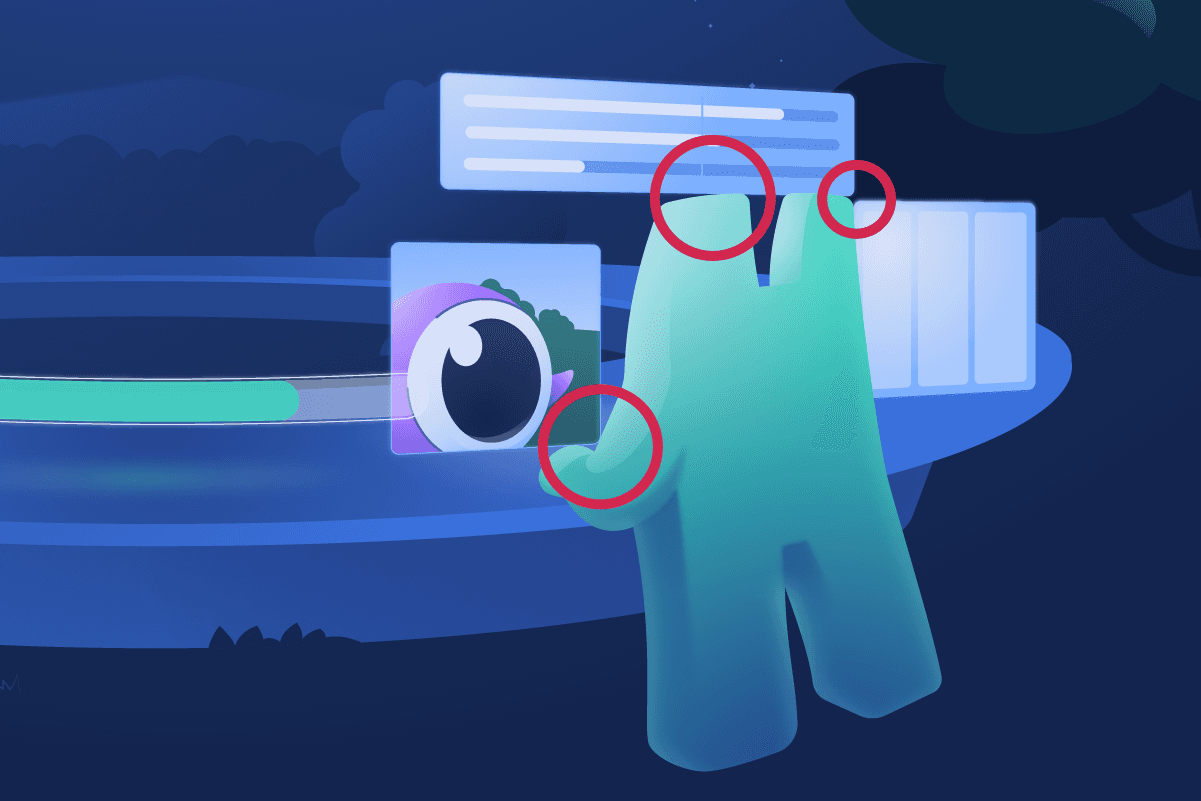
Don’t create tangents
Avoid "kissing" edges and tension between shapes. Either create a clear gap or commit to an overlap.

Keep value separation
If background and character are similar brightness, they blend. Characters need contrast against their background.

Don’t mix lighting logic
Pick a light direction (even if soft) and keep it consistent across the scene.
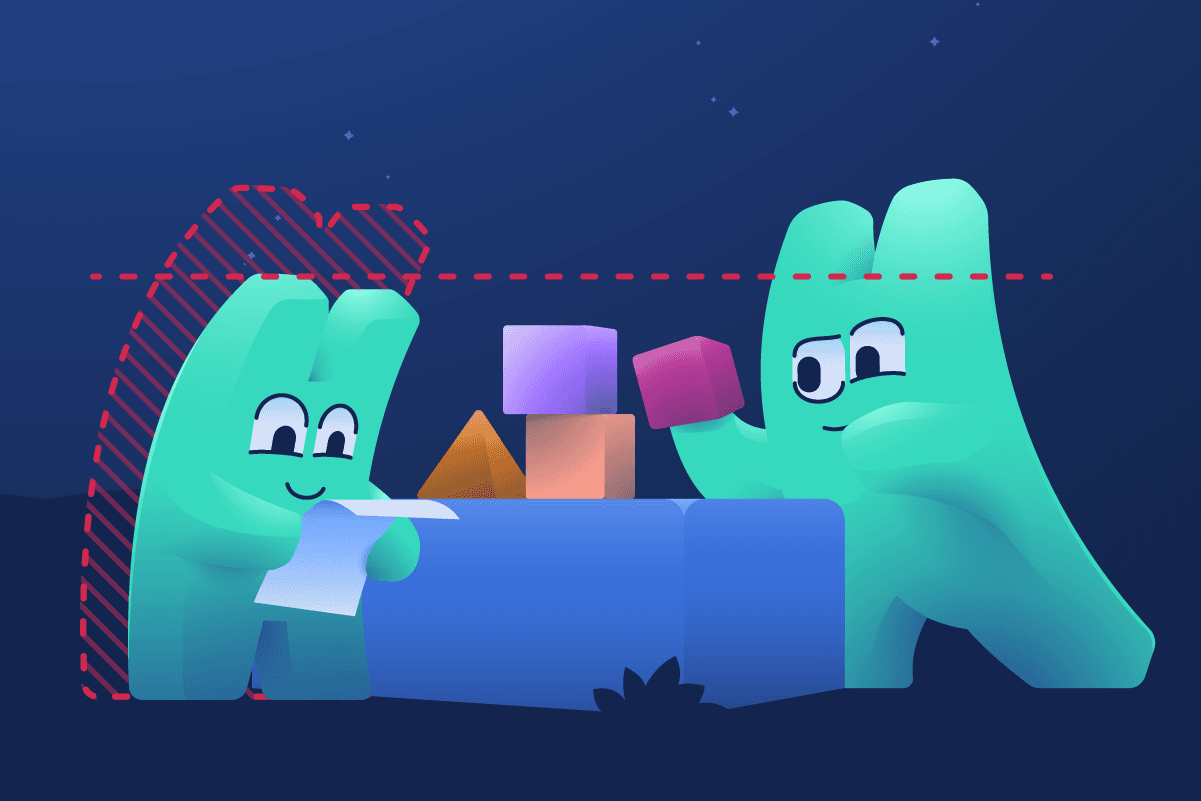
Don’t break scale relationships
Keep character scale consistent across a scene unless it’s a deliberate “hero foreground” exaggeration.
More in Assets Library
If you have access, you can explore the full collection there and download any assets you need.
Explore more
Legal
Privacy Policy
·
Copyright 2026 Presonate™